The fight to save Windows Live Writer

The bumbling dance moves Microsoft makes in their existence is just astounding...

When Windows Live Writer was released, I'm sure it was meant as a complement to the blogging service that Microsoft was planning to offer to its users/members, in the form of Windows Live Spaces.

Overall, Microsoft has a real problem with project concept and follow through.

Microsoft thought that if they purchased some blogging software, and set up their own blogosphere [if you build it, they will come] that would be a huge hit for Microsoft, but the problem is, Microsoft purchased a small company that was producing an off-line blog editing application; they simply thought that if they threw up a blogging service like Windows live Spaces, people would just come in droves.

The reality is that Windows Live Spaces may have been a noble concept, but the execution Windows Live Spaces was simply just not given enough attention. There were so many things wrong with Windows Live Spaces that people chose simply not the blog with Microsoft; there was just too many features that were lacking, too many options that just weren't there…

So Microsoft killed Windows Live Spaces…

Microsoft killed Windows Live Spaces and advised all their users to transition their Windows Live Spaces accounts and information over to WordPress. WordPress was Microsoft's direct competition for Windows Live Spaces and was on a daily basis outperforming Windows Live Spaces at every point… Microsoft's perspective was that there was no way for them to beat WordPress; they were simply going to throw in the towel…

But where does that leave Windows Live Writer?

Use Google Drive to sync blog posts with Windows Live Writer 2011

0j5f5h0jI believe everyone has the same issue with Windows Live Writer; it's sync'ing the blog posts, recent and drafts to some place that can be sync'd across machines.

Well, now that Google has released Google Drive you can now use Google drive to sync your data with them; beating Microsoft to the punch on their own service [postulating]…

What you need is:

Google account

Windows Live Writer 2011

and my Recent post and Drafts path changer app

Wow. There was an update to Windows Live Writer 2011…

about Windows Live Writer 15.4.3555.308

I was surprised to see there was an update to Windows Live Writer before Windows 8 came out. Honestly, I'm not able to even fathom why they did this, but only to find out if there's any bugs in it from the Windows Live Essentials team.

The previous version of Windows Live Writer was v15.4.3538.513 the new version is 15.4.3555.308. In the grand scheme of things that may sound great, on the flip side Microsoft still, in two years, and two updates to Windows Live Writer during this time, can't put a FIND AND REPLACE in the edit options for this offline blog editor.

I don't want a Windows Live account to blog…

3qqhbss3With the next release of Windows right about the 'season'; looking at a release date time frame of October. I just am not excited about the next release of Windows and I with all certainty am not looking forward to the next version of Windows Live Writer.

Don't get me wrong; I believe Windows Live Writer as it stands now is a great blogging platform, but there's so much change with Windows 8 and the Windows Live Essentials packages being linked in to the Windows Live service. It makes me all very nervous. I prefer not to require a Windows LIVE account linked to my Windows Live Writer when I'm blogging to something else. I prefer not to have to use SkyDrive to blog, I don't want Microsoft to know every single time I open my Windows Live Writer application.

It's my time, they don't need to know that; they don't need to know what I'm writing about. I hope there's an option to NOT keep posts and drafts on the SkyDrive. If not, that's going to just drag.

Windows Live Writer: Inserting/embedding a MP3

Windows Live Writer is a fantastic offline blogging tool with a WYSIWYG editor. It interfaces with just about any blog service [Blogger, LiveJournal, TypePad, WordPress, etc.] If you're a blogger you'll find this tool incredibly helpful- and it's refreshingly free from Microsoft.
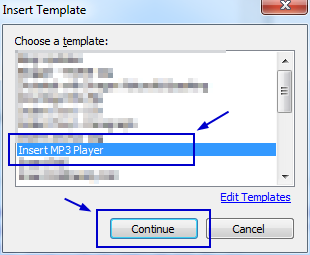
I was knocking around the other day and started working with a music creator; I found the process of creating music really nice and I wanted to share the music in a blog post, but Windows Live Writer doesn't have a music import/link or any kind of way to have users link to a MP3 and leter readers just listen/stream the music directly from the site.
I checked the Windows Live Writer plug-in site. I found a plug-in to insert music, but it didn't' work; in fact it caused my version of Windows Live Writer to crash completely. Windows Live Writer was not liking the plug-in at all [or maybe the code it injected].
But I did find a better way to do it…
I have used a plug-in on Windows Live Writer several time and each time, it just seems to do the trick...

LinkWithin

Related Posts Plugin for WordPress, Blogger...